Every MCPHub instance started with the same admin password. I changed that.
MCPHub shipped every installation with the hardcoded credential admin/admin123 and published it in the README. The fix generates a cryptographically random password per instance.
MCPHub is an open-source management hub for MCP (Model Context Protocol) servers, the protocol layer that lets AI agents call external tools. Every fresh installation created an admin account with the username admin and the password admin123. The README told you so. The quickstart guide told you so. The API reference included it in a curl example. Anyone with network access to port 3000 could log in with full administrative privileges before the operator had a chance to change anything.
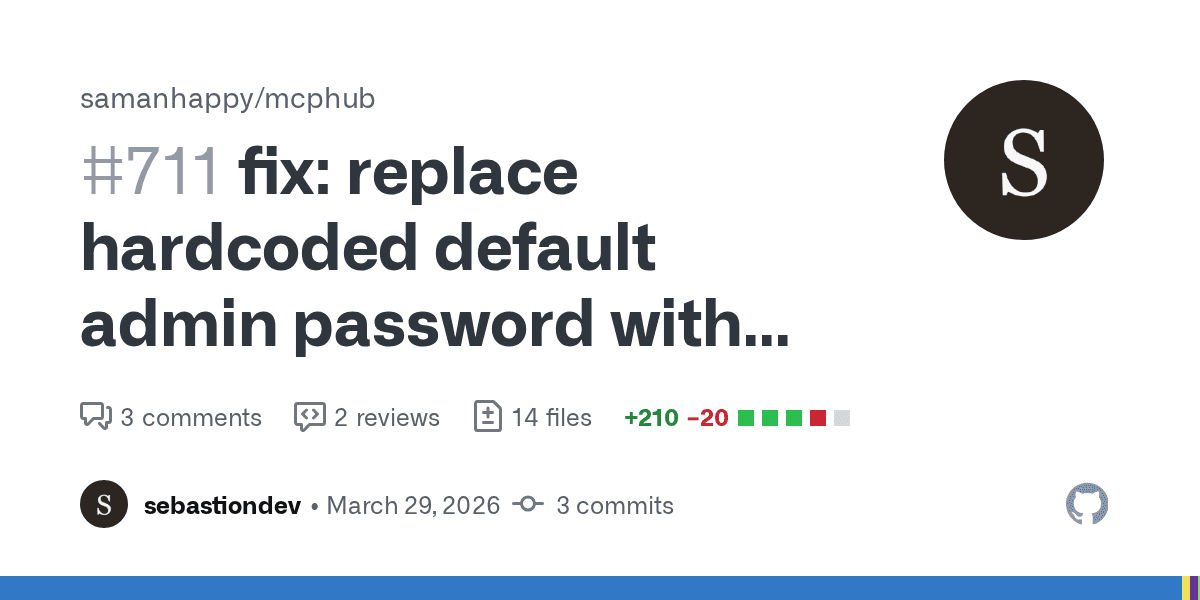
I identified the vulnerability, submitted a fix and wrote tests to prove it. The PR was merged on 30 March 2026.
What made this exploitable
The vulnerability is a textbook instance of CWE-1188 (Insecure Default Initialization of Resource) and maps to OWASP A07:2021 (Identification and Authentication Failures). The data flow is short:
src/server.tscallsinitializeDefaultUser()at startup.initializeDefaultUser()insrc/models/User.tschecks whether any users exist. If none do, it creates one:
await userDao.createWithHashedPassword('admin', 'admin123', true);- The service binds to port 3000 with fully permissive CORS:
cors({ origin: true, credentials: true })- Docker Compose maps the port externally by default:
${MCPHUB_PORT:-3000}:3000.
No reverse proxy, VPN or service mesh is required. The default deployment is internet-facing. The credential is identical across every installation and is published in the project's own documentation.
The exploit is a single curl:
curl -X POST http://<target>:3000/api/auth/login \
  -H "Content-Type: application/json" \
  -d '{"username":"admin","password":"admin123"}'
That returns a JWT granting full admin access. No brute-forcing. No credential stuffing. No sophistication at all.
Existing mitigations and why they were insufficient
MCPHub was not entirely unaware of the risk. A frontend modal warned users when the password admin123 was detected. But this warning appeared after login, meaning an attacker who knew the credential (anyone who had read the README) could log in, obtain a JWT and operate programmatically without ever seeing the modal.
A isDefaultPassword() utility function in src/utils/passwordValidation.ts checked whether the password was still admin123. This was used for the UI warning but not to block authentication. Password change functionality existed but relied on the operator taking action. Many would not, at least not immediately. The window between deployment and manual password change was 100% exploitable.
Authentication itself was correctly implemented: JWT tokens, bcrypt password hashing, auth middleware on API routes. The /auth/register endpoint required authentication, so attackers could not create arbitrary accounts. The problem was not missing auth. It was that the credential itself was known to the entire world.
What the fix does
The production change is 19 lines in a single file: src/models/User.ts.
The hardcoded 'admin123' is replaced with a two-tier approach:
- If the
ADMIN_PASSWORDenvironment variable is set, its value is used. This gives operators deterministic control at deploy time. - If no environment variable is set, the fix generates a cryptographically random password:
const generateRandomPassword = (): string => {
  return crypto.randomBytes(18).toString('base64url');
};
This produces a 24-character base64url string with approximately 144 bits of entropy. The generated password is printed to the server console on first startup:
========================================
  Generated admin password: <random>
  Please change this password after first login.
========================================
This is the same pattern used by Grafana, Jenkins and WordPress: generate a random credential, print it once, expect the operator to change it. It is not perfect, but it is categorically better than a static credential that is identical across every installation.
The fix uses Node.js's built-in crypto module. No new dependencies were introduced.
Test coverage
I wrote six test cases in tests/models/user-default-password.test.ts to validate the fix:
| Test | What it proves |
|---|---|
Should NOT use hardcoded admin123 | The old credential is gone |
| Should generate a random password when no env var is set | The fallback path produces a password of at least 16 characters |
| Should log the generated password to the console | Operators can retrieve the credential from server logs |
Should use ADMIN_PASSWORD env var when provided | The explicit-configuration path works |
| Should not create a user when users already exist | Existing installations are not affected |
| Should generate different passwords on successive calls | The randomness is real, not a fixed seed |
All six pass. Codecov confirmed 100% coverage of the modified and new lines.
Documentation sweep
After the initial fix was merged, the maintainer asked whether I could also update the documentation. I updated 12 files across the project:
- README.md, README.zh.md and README.fr.md: replaced the hardcoded
admin/admin123login instructions with the new behaviour. - docs/quickstart.mdx and docs/zh/quickstart.mdx: updated login sections with environment variable usage.
- docs/index.mdx, docs/installation.mdx: replaced default credential references.
- docs/configuration/environment-variables.mdx: added
ADMIN_PASSWORDto the environment variables reference table. - docs/api-reference/auth.mdx and docs/zh/api-reference/auth.mdx: replaced
admin123in login examples withyour-admin-password. - articals/intro2.md and AGENTS.md: updated remaining references.
Every instance of admin123 in the project's documentation was removed. The old credential no longer appears anywhere a user would find it.
Why this matters for MCP tooling
MCPHub is infrastructure. It manages the MCP servers that AI agents use to interact with external tools. Compromising MCPHub means controlling which tools are available to agents, what configurations those tools use and what data flows through them. An attacker with admin access could add a malicious MCP server, modify tool routing or exfiltrate credentials stored in server configurations.
This is not a hypothetical. We have covered the MCP attack surface extensively on this blog: tool poisoning, rug pulls, ghost packages on MCP registries. Those attacks target the protocol layer. But if the management plane itself ships with a known credential, attackers do not need any of that sophistication. They just log in.
The broader pattern is familiar. AI tooling is being built fast, with the emphasis on functionality and ecosystem growth. Security defaults lag behind. We saw it with gptme passing API keys on the command line. We saw it with SQL injection in Hugging Face's skills framework. The vulnerabilities are not exotic. They are the same classes of bug that the web application security community documented two decades ago: hardcoded credentials, injection, insufficient input validation. The difference is that the blast radius now includes autonomous agents that act on your behalf.
Prior art
Hardcoded default credentials have a long history of generating CVEs:
- CVE-2020-29583: Zyxel firewalls and AP controllers shipped with a hardcoded admin account (
zyfwp/PrOw!aN_fXp). The credential provided full administrative access and could not be changed by the user. CVSS 9.8.
CWE-1188 exists precisely because this pattern repeats. The fix is always the same: generate a unique credential per installation, or force the operator to set one at deploy time. MCPHub now does both.
The residual dead code
One minor artefact remains. The isDefaultPassword() function in src/utils/passwordValidation.ts still checks whether a password equals admin123. With the fix in place, no new installation will ever have that password unless someone explicitly sets ADMIN_PASSWORD=admin123. The function is effectively dead code. It is not harmful, but it is the kind of thing that accumulates quietly in a codebase, a comment from a version of the software that no longer exists.
The cheapest exploit is still the one where the attacker does not need to find a vulnerability at all. They just read the documentation.
Newsletter
One email a week. Security research, engineering deep-dives and AI security insights - written for practitioners. No noise.